
when (speed > 0) {
  moveForward(10)
  record(position)
}
setAcceleration(2)
showGraph(x, t)
if (reaction == "redox") {
  moveIons()
}
CT–STEM Integration

Learn science through block coding

The Science-Coding Lab brings computational thinking into science lessons. Students control science experiments with visual code blocks — they don't just observe, they program. All materials are currently in Bahasa Indonesia.

Computational Thinking × STEM

Two 21st-century skills, practised together in one interactive lab.

Coding
Visual blocks
Algorithms
Logical thinking
Science
Physics experiments
Observation
Real-time graphs
3 Labs Available

Pick the lab that suits your level

Start with the Linear Motion Lab, explore multiple science scenarios in the MEGA Lab, and take on mission-based programming in the Drone Simulator.
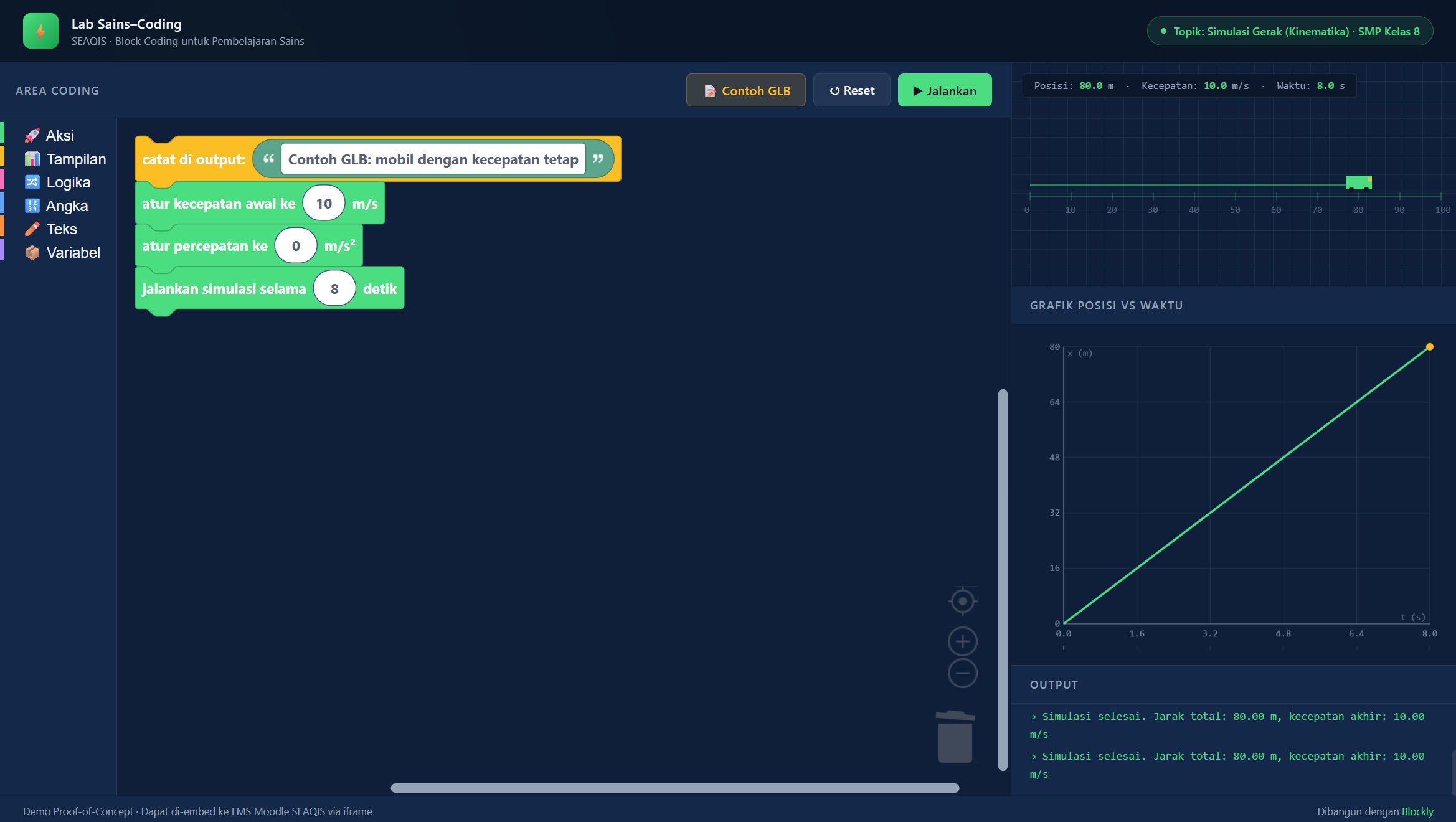
Science-Coding Lab: Linear Motion
// Lab 01
Uniform
Linear Motion
Ready to use
Science · Physics Junior High Grade 8

Science-Coding Lab: Linear Motion

Uniform & Uniformly Accelerated Motion · Position–Time Graphs

A simulation of a car moving along a track, with its speed and acceleration set by students using visual code blocks. Ideal as a first lab for introducing CT-STEM.
  • Control speed and acceleration with visual code blocks
  • Real-time position–time and velocity–time graphs
  • Ideal for introducing simple loops and conditionals
Open Lab
MEGA Science-Coding Lab
// Lab 02 — MEGA
Multi-Scenario
Science
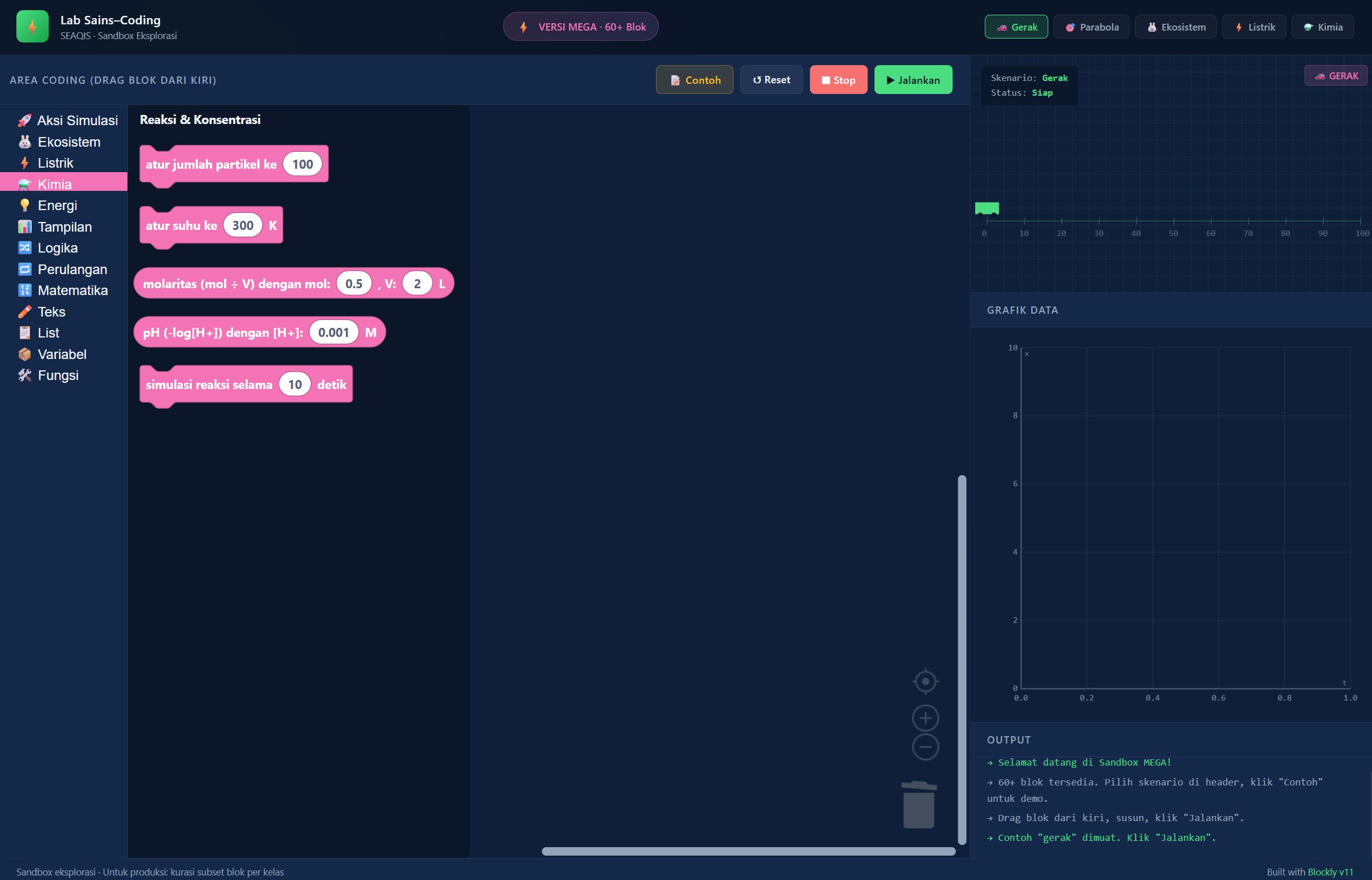
Motion Projectile Ecosystem Electricity Chemistry
Ready to use
Integrated Science Junior–Senior High

MEGA Science-Coding Lab

5 Scenarios · 64 Curated Blocks · Cross-Subject

An exploratory block-coding sandbox with 5 science scenarios across subjects: Motion, Projectile Motion, Ecosystems, Electricity (Ohm's Law), and Chemistry (Reactions & pH). Ideal for integrated Informatics–Science learning.
  • 64 code blocks curated for science contexts (not generic programming)
  • 5 scenarios spanning Physics, Biology, and Chemistry in one interface
  • Open-ended sandbox — students can modify blocks and test hypotheses
  • Supports bringing the Informatics curriculum into science lessons
Open MEGA Lab
SEAQIS Drone Simulator
// Lab 03 — DRONE
Drone Mission
Simulator
Takeoff Navigation Sensor Mission Landing
Ready to use
Science · Informatics Junior–Senior High

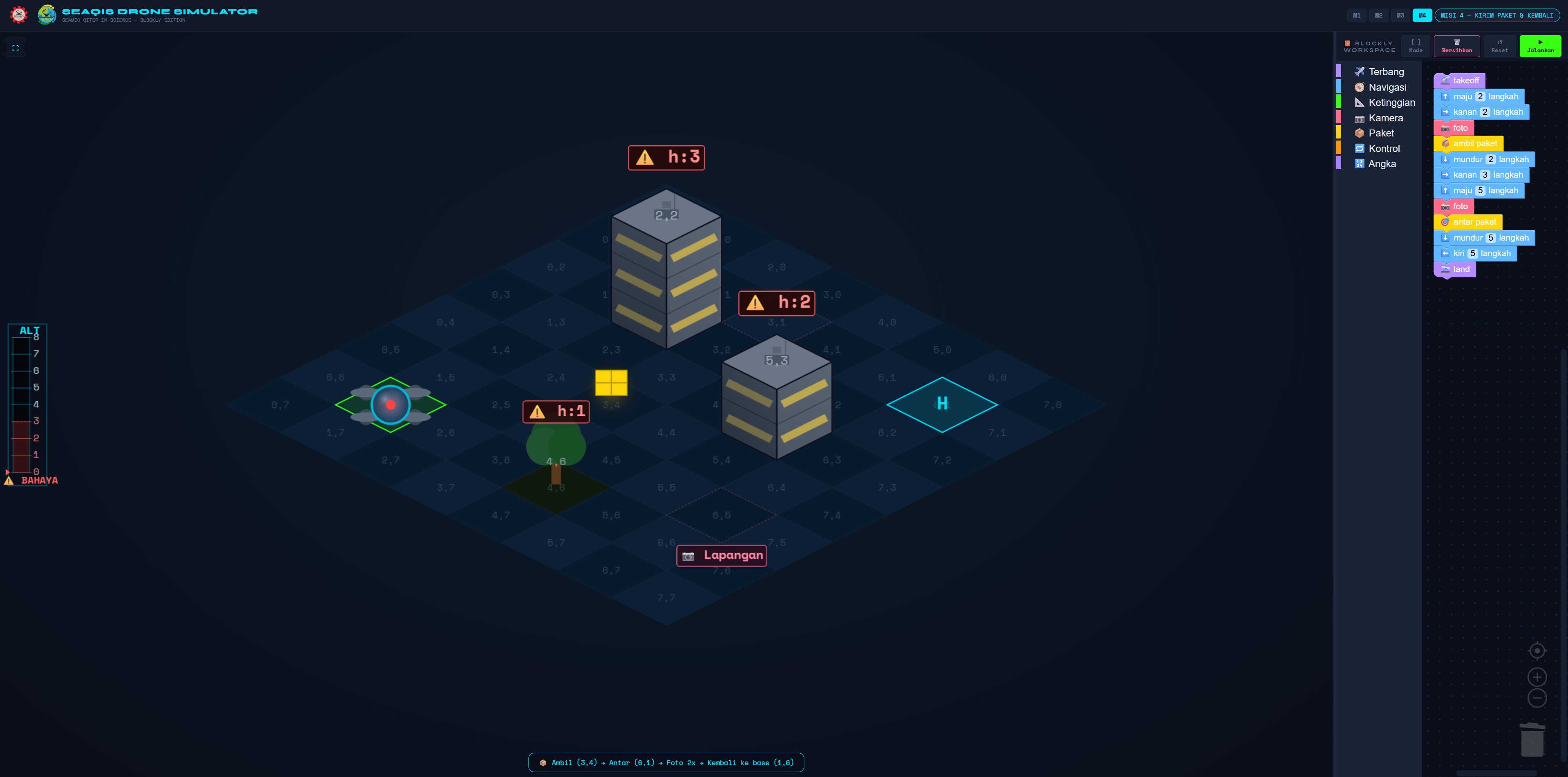
Drone Mission Simulator

Multi-Mission · Block Coding · Computational Thinking

A mission-based drone simulator in which students solve challenges through block coding. They program the drone to take off, navigate, detect obstacles, take photos and land — applying conditional logic and loops to real science missions.

  • Multi-mission progression — students level up as the challenges grow more complex
  • Blockly block coding for full control: movement, sensors, actions, and conditions
  • Seamless integration of Science (motion, forces) × Informatics (CT, algorithms)
Open Simulator
Sensor & Physical Computing

Micro:bit Lab — Sensor-based science

Complete inquiry-based teaching materials for bringing the BBC micro:bit into science lessons. Each kit includes a teacher guide, student worksheets, and an assessment rubric — ready to use in class.
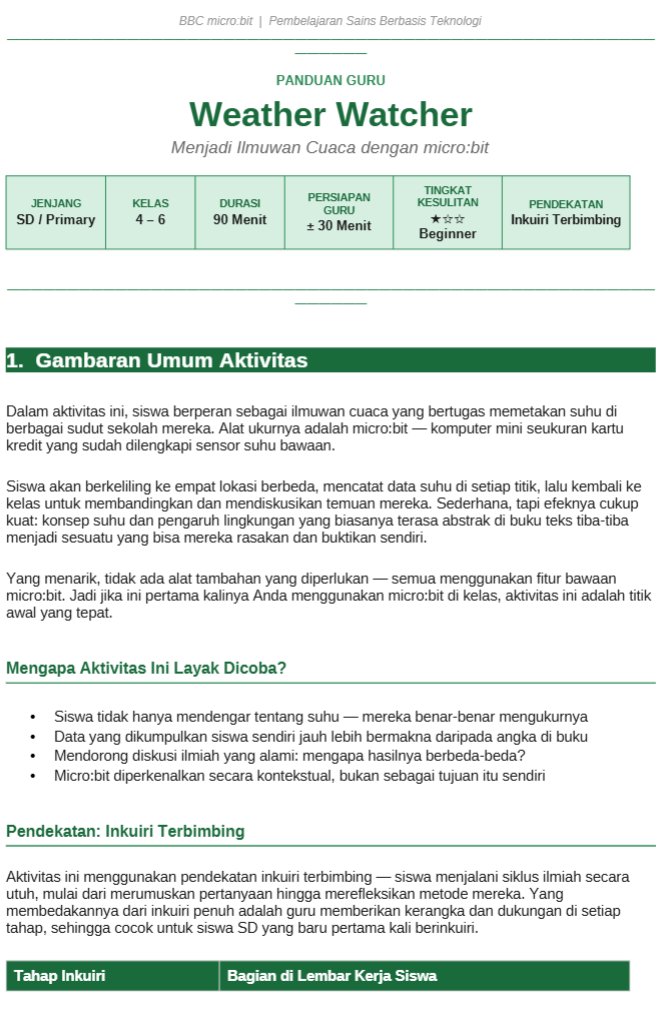
BBC micro:bit v1 & v2
Weather Watcher
Kit 01
Weather
Watcher
Primary Grades 4–6 Science Temperature Sensor · micro:bit v1/v2 Guided Inquiry

Weather Watcher

Measuring Environmental Temperature · Effects of Shade & Materials

Explore temperatures at 4 spots around the school — in the classroom, under a tree, in an open field, and next to a wall — using the micro:bit's built-in temperature sensor. Students learn how shade, sunlight, and materials affect air temperature.
Teacher Guide Student Worksheet Assessment Rubric
Download Full Kit
Sound Detective
Kit 02
Sound
Detective
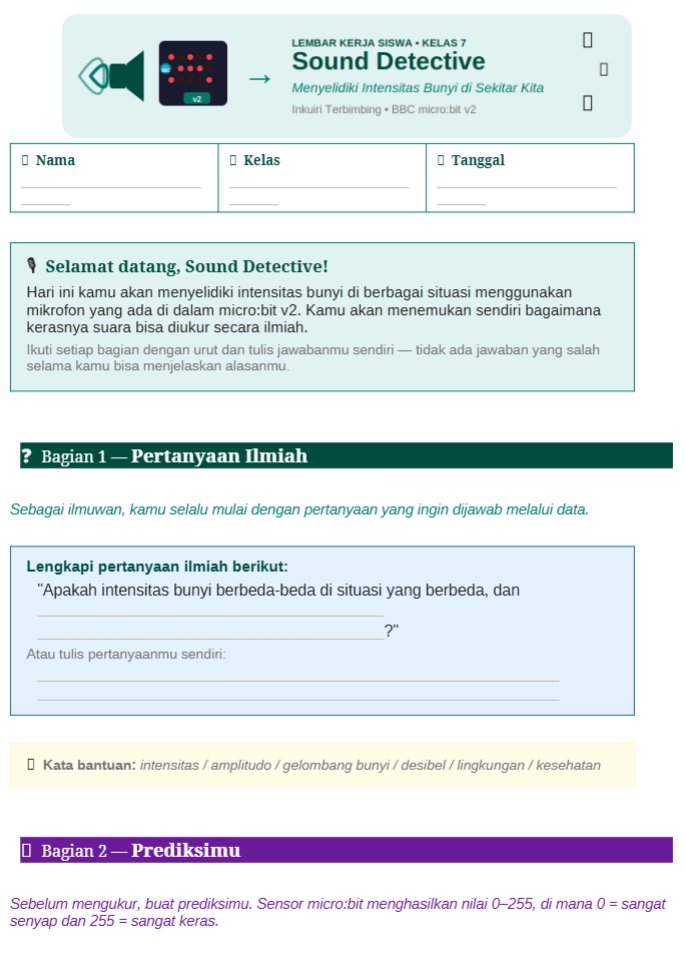
Junior High Grades 7–9 Science · Physics Built-in Microphone · micro:bit v2 Guided / Structured Inquiry

Sound Detective

Sound Intensity · Waves · Noise Pollution

Investigate 5 sound situations in the classroom — silence, whispering, conversation, clapping, and loud noise — using the micro:bit v2's built-in microphone to understand amplitude and how noise affects learning conditions.
Teacher Guide Grade 7 Worksheet Grades 8–9 Worksheet Assessment Rubric
Download Full Kit
Motion Logger
Kit 03
Motion
Logger
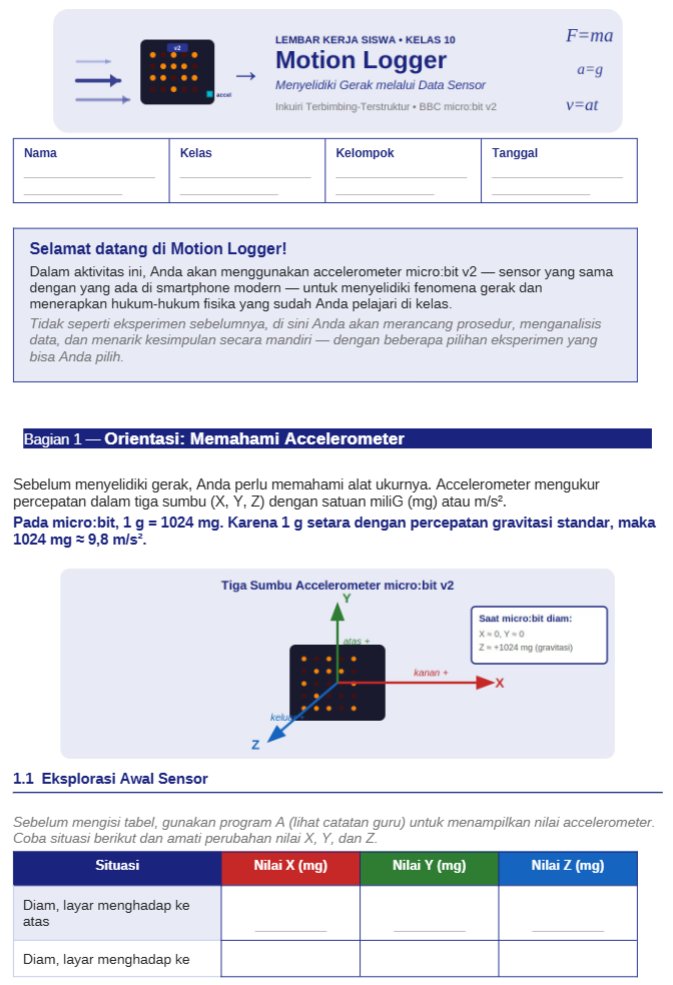
Senior High Grade 10 Physics 3-Axis Accelerometer · micro:bit v2 Guided–Structured Inquiry

Motion Logger

Newton's Laws · Kinematics · Inclined Plane · Free Fall · Pendulum

A choice of 3 experiments — an inclined plane (a = g sin θ), free fall (verifying g = 9.8 m/s²), or a pendulum (T = 2π√(L/g)) — using the micro:bit v2's 3-axis accelerometer to apply Newton's laws and kinematics.

Teacher Guide Grade 10 Worksheet Assessment Rubric
Download Full Kit
Why CT-STEM?

Not just learning science — but also thinking like a programmer

Indonesia's latest curriculum integrates Informatics into learning across subjects. The SEAQIS Science-Coding Lab is a practical response to this need.

  • Students don't just observe — they program the experimental conditions
  • Visual block coding lowers the barrier to coding without sacrificing depth of logic
  • Loops, conditionals, and variables are learned in familiar science contexts
  • Supports teachers' digital literacy in line with SEAMEO's education policy direction
Motion Blocks
Control an object's speed & acceleration
Condition Blocks
If-then logic to control experiments
Loop Blocks
Repeat observations & record data
Graph Blocks
Display real-time graphs
Reaction Blocks
Control chemical reactions & pH
Energy Blocks
Simulate ecosystems & energy
Bring CT-STEM into Your Classroom

Contact us for Science-Coding Lab training

SEAQIS offers workshops and training for teachers who want to integrate block coding into science teaching. Contact our secretariat for programme information.